Save Telegram videos to your device without risky tools
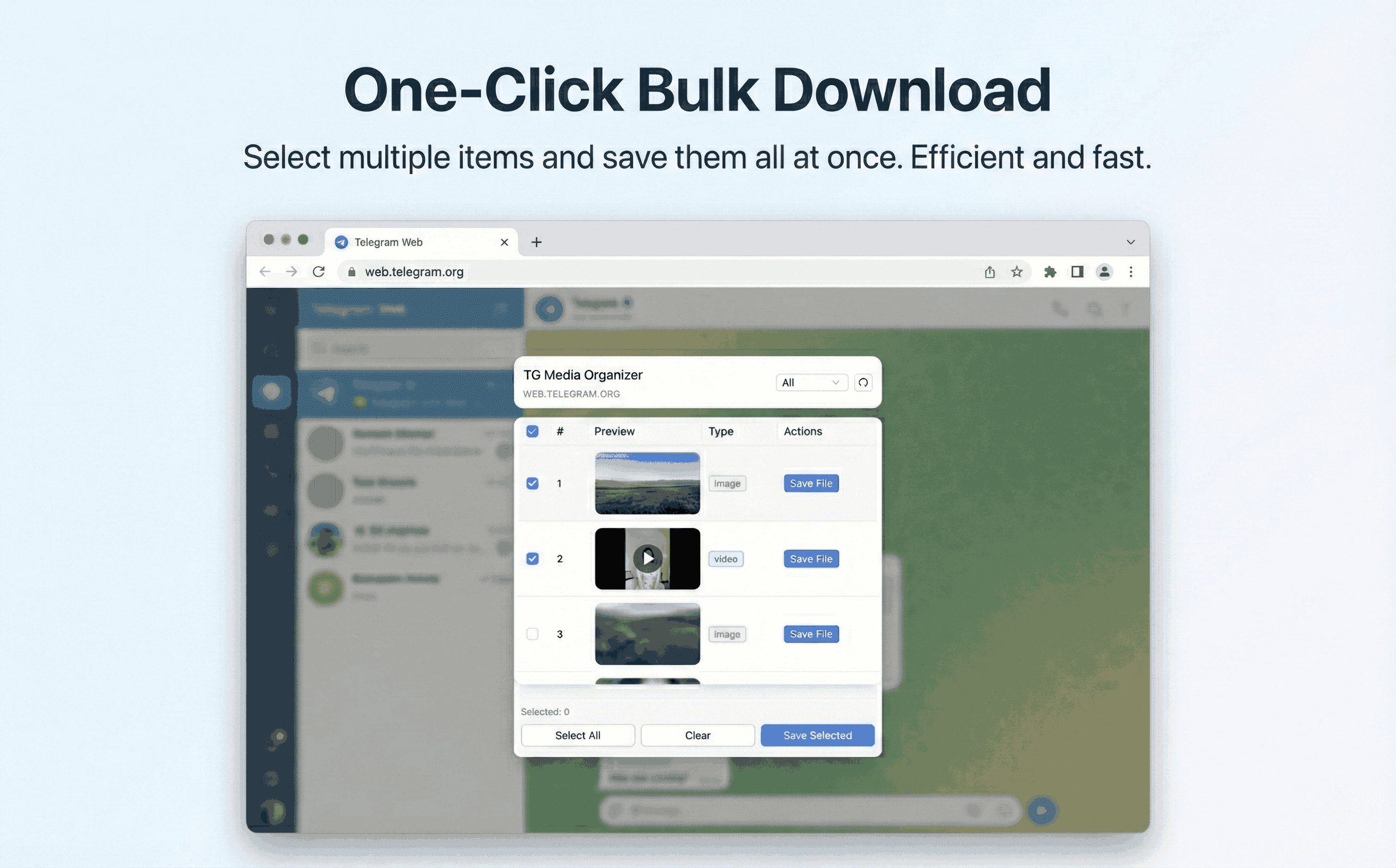
Stop copy-pasting links into unknown sites. Use TG Media Organizer to filter videos you can view, then save them locally with a clear, manual flow.
Why this happens
- •Telegram Web does not provide a clean bulk-save option for videos.
- •Copying links into third-party sites risks accounts and malware.
- •Replaying videos to find the right one wastes time.
- •Mobile workflows are slow when you only need local copies.
Why TG Media Organizer works better
- ✓Runs in Telegram Web—no external upload or scraping.
- ✓Filter and pick only the videos you want before saving.
- ✓Manual downloads to keep compliance clear.
- ✓Progress feedback for larger clips.
How it works
Follow the same three-step flow across any Telegram chat or channel you can access.
Step 1
Open web.telegram.org and the chat you can access.
Step 2
Open TG Media Organizer, filter by video, and select items.
Step 3
Save directly to your device; organize locally afterward.
Use cases
These scenarios come directly from how users manage Telegram media today. Stay compliant and manual—no automated scraping.
- •Personal backups of family or travel videos shared in channels you follow.
- •Keeping project reference clips offline for editing.
- •Saving course videos from study groups you’re part of.
- •Reducing mobile data usage by downloading once on desktop.
FAQ
No. Only videos you can already view in Telegram Web are listed and can be saved.
No. Downloads go straight to your device; we do not upload or store your media.
You can start free with daily limits. Upgrade to Pro for higher usage and faster workflows.
Start organizing Telegram media you already can view
Install the Chrome extension, keep everything manual and transparent, and upgrade to Pro when you need higher limits.
- • Local processing—no uploads
- • Filter-first workflow for photos, videos, audio
- • Manual downloads with progress feedback
- • Built for channels and groups you can already view